
VR Porn vs VR Cams: Which Feels More Real in 2026?
Wondering whether pre-recorded VR porn or live VR cam sessions deliver a more realistic experience in 2026? Both formats can convince your brain someone is in the room — but for different reasons....
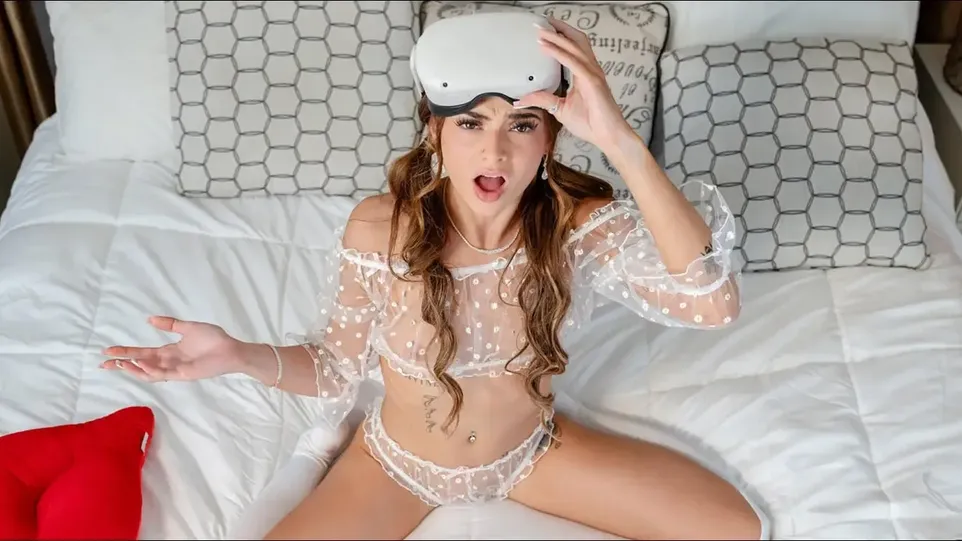
Wondering whether pre-recorded VR porn or live VR cam sessions deliver a more realistic experience in 2026? Both formats can convince your brain someone is in the room — but for different reasons. Recorded VR porn wins on visual fidelity (5K–8K resolution, high bitrate, careful post-processing), while live VR cams win on social presence and behavioral realism (low latency, genuine eye contact, real-time reciprocity). Here's how to tell which one your headset handles better, and how to test each format quickly without wasting money.
If you're picking between these two on xNight, the honest answer is: it depends on what your brain treats as "real." The live cam tag leans into response timing and social cues, while recorded VR tech leans into pixel-perfect staging. I'll walk through what actually separates the two, what the technical ceiling looks like at 5K–8K, and a 48-hour testing routine that works on any standalone or PCVR headset. Worth noting up front — the free side of xNight is mostly recorded content, so the "free" baseline is what you'll calibrate against before committing to a paid cam session.
What "Realism" Actually Means in VR
What struck me first when I started comparing these two formats is that "realism" is not one thing. It's a bundle of signals the brain uses to decide whether the room in your headset qualifies as a place someone is actually in. Two signals matter most: visual fidelity (sharp pixels, color accuracy, depth) and behavioral realism (response timing, eye contact, body language).
Visual fidelity is what recorded VR porn optimizes for. Studios control the lighting, frame the camera with intent, and run post-processing to push 5K–8K scenes to a stable 60 fps. The result is a clean, repeatable visual that holds up on a wide range of headsets.
Behavioral realism is what live VR cams offer. Low latency means a performer reacts to you in roughly the same beat as an in-person conversation, and the brain reads that reciprocity as presence. The pixel count usually takes a back seat.
Visual Fidelity: Where Recorded VR Porn Wins
From a tech standpoint, recorded VR porn is the cleaner format. A well-produced 5K–8K scene at 60 fps, encoded in H.265/HEVC or AV1, gives you stable depth, accurate color, and surface detail that holds up at close range. The trade-off is interactivity — none. The scene is what it is, every time you load it.
Compared to what I've tested before, the gap shows up in three specs: bitrate, chroma subsampling, and frame stability. For 5K/60 fps in H.265, a sustained 40–80 Mbps is the practical baseline. For 8K/60 fps, 60–120 Mbps is where the image stops falling apart. A steady mid-range stream that never drops frames will feel more realistic than a peak-resolution file that stutters, every time.
Behavioral Realism: Where Live VR Cams Win
This is where the tech matters more than the pixels. Live sessions give you genuine eye contact, unrehearsed replies, and response timing that tracks your inputs in real time. The brain treats a fast, attentive response as a stronger presence cue than a perfectly lit 8K scene that just plays at you.
Worth noting: most platforms that host live VR cams target sub-200 ms round-trip latency. Around that mark the exchange reads as conversational. Above 300–400 ms, the timing starts feeling off and the live quality breaks down. If you're testing whether the format actually works, this is the number that decides it — not the headset resolution.
For the free side of xNight, recorded content sets the baseline. For live sessions, the paid cam platforms sit outside the network, but the response-timing logic carries over: if you can't get under 300 ms locally, no platform is going to fix that for you.
Step-by-Step Testing System
Skip a stage and you'll get a false read on which format actually feels more real. The order is hardware, then recorded fidelity, then live latency.
Step 1 — Quick Hardware Check (3 minutes)
Before you spend anything, confirm three things: your headset is set to the highest supported playback mode, firmware and software are current, and your IPD (interpupillary distance) plus eye relief are dialed in. Eye relief and IPD are the most commonly skipped steps, and they hurt perceived realism faster than pixel count ever will.
Step 2 — Recorded VR Bitrate & Frame Rate
Pick a 180° demo at the highest available bitrate and watch for stutter, dropped frames, and compression artifacts. Targets:
- 5K/60 fps, H.265: roughly 40–80 Mbps
8K/60 fps, H.265 or AV1: roughly 60–120 Mbps
Stability matters more than peak throughput. A 5K stream at 50 Mbps that never drops a frame will read as more realistic than an 8K file at 100 Mbps that stutters every 30 seconds.
Step 3 — Live Latency Calibration
For the network side, prefer wired Ethernet when you can, and if you're on wireless, use Wi-Fi 6/6E on the 5 GHz band. Minimize competing traffic. Enable SQM/QoS on your router to reduce bufferbloat. Target round-trip latency under 200 ms; uplink stability and jitter matter more than raw download speed here.
Then test the actual interaction. A simple prompt that works: ask the performer to wave slowly so you can follow with your headset, time the response, subtract the known network delay, and average two attempts. Under ~200 ms reads as conversational. Above 300–400 ms, the exchange feels broken.
Common Mistakes That Skew the Test
The most common setup error is treating resolution as the main quality signal. A lower-resolution file played correctly beats a high-resolution file played poorly, every time.
- Equating resolution with realism. Evaluate bitrate, chroma subsampling, and frame stability instead.
Running high-bitrate files on an underpowered headset. Verify codec and resolution support before buying. Built-in players often cap decode performance — a dedicated player usually fixes this.
Ignoring lighting and framing in live rooms. A genuinely engaged performer can feel flat in a dim, poorly framed room. Check the lighting before committing to a session.
A 48-Hour Comparison Routine
Tonight: Download a 180° demo at the highest available bitrate on xNight. Spend 15–20 minutes focusing on depth cues and spatial audio localization. Stability over peak resolution.
Tomorrow: Run a short live cam session on a platform that shows connection quality. Focus on eye contact, response timing, and spontaneous reactions, not image sharpness.
Follow-up: Compare felt presence across three markers: eye-contact clarity, response latency, and spatial audio separation. Two short sessions are usually enough to form a reliable preference. Response timing drives social presence more than pixel count.
Which Format Should You Actually Pick?
Pick pre-recorded VR scenes when you want the cleanest visuals and a repeatable session. The free 8K catalog on xNight gives you a strong baseline for that. Pick live VR cams when you want real interaction that responds to you in the moment. Most viewers end up using both formats rather than committing to one.
The simplest way to settle it for yourself: run a high-bitrate recorded session and a short live session back-to-back. Whichever holds your attention longer tells you which side your brain actually trusts. As of 2026, the recorded side has gotten good enough that the live side has to lean hard on real interaction to stay ahead — and when both are set up correctly, the difference usually comes down to whether you wanted to be watched, or wanted to be talked to. If you're curious where the format is heading, the tech news tag on xNight tracks the new releases. If you want the cam side directly, the cam show tag rounds up the recorded clips in the same niche.

blog.author.bio